
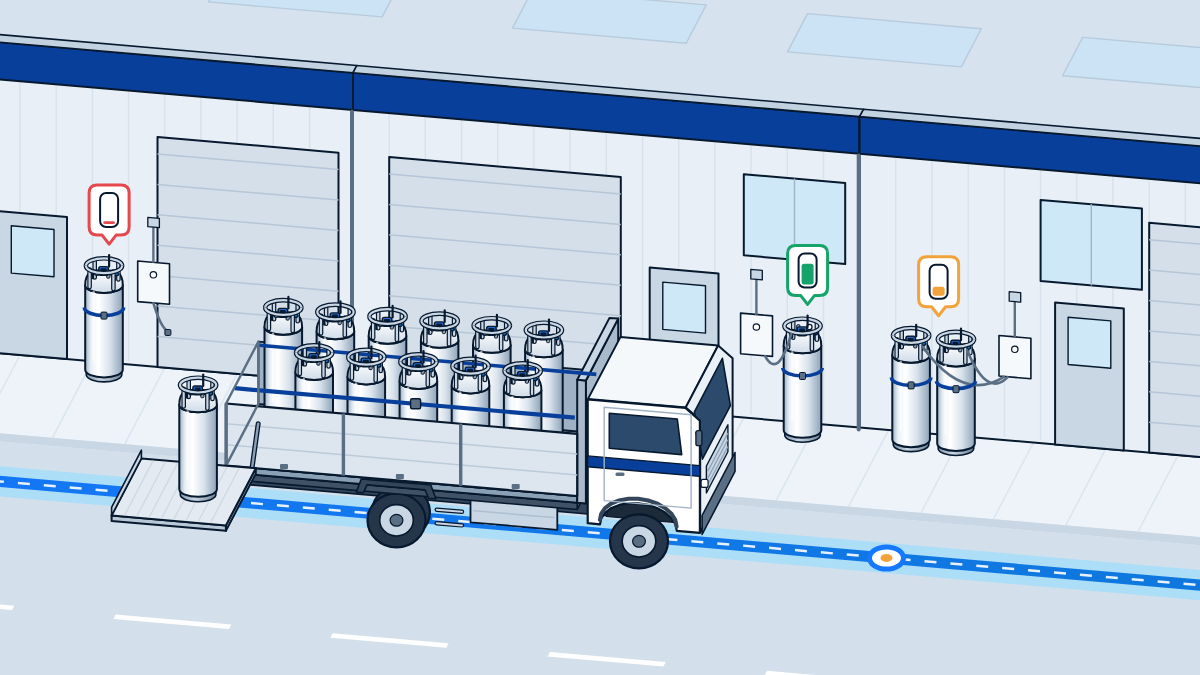
Many gas distributors still learn a customer’s reserve from a phone call, often when the customer is already running out, and plan deliveries around whoever called last. The CryoFor TM2 module and the CryoFor Telemetry platform turn that around: each liquid cylinder fitted with TM2 reports its level on a set schedule, and the dispatcher plans the week from the levels. Cryofortune supplies CryoFor Telemetry together with liquid cylinders sourced per order from a network of manufacturers.
Illustrative scenario, not a customer case.
Monday morning. The dispatcher opens CryoFor Telemetry before the first customer calls. The weekend is already on the screen: every vessel at every site, marked Critical, Warning or Normal, with offline modules flagged separately so nobody mistakes silence for a full tank. The daily report with charts arrived on schedule, and each vessel’s history shows how the weekend went and when it is forecast to run low.
There is no round of phone calls asking “how much do you have left?”. The dispatcher builds the week from levels. Critical sites go first. A Warning site on the same road joins the same trip, and a customer who needs a different gas is served by the same truck. Drivers get a route instead of a list of emergencies.
By the time customers start their shift, the plan is already moving. The phone still rings, but now it brings orders and questions, not surprises.
The old rhythm: phone rounds, rush runs and half-full trucks
Without telemetry, a distributor knows a customer’s reserve only when someone looks: a driver notes the gauge on delivery, or a customer calls because the line is about to stop. Between those moments the level is a guess, and the cost shows up in the schedule:
- Rush runs. An urgent call pulls a truck off its route, and the rest of the day moves with it.
- Half-full trucks. One truck goes out for a single emergency while another visits sites that did not need gas yet.
- Early and late refills. Some customers are served on a fixed calendar whether they need gas or not, and others still run out between visits.
- Phone time. The morning is spent asking customers how much they have left, and each answer is only as good as the gauge reading behind it.
Cylinders and phone rounds are a working setup, and at modest volumes often the right one. Monitoring starts to pay off as customer sites, gases and swaps grow.
One screen for every customer site
TM2 takes the place of a liquid cylinder’s stock electronic level gauge and reads the vessel’s own capacitive level probe. On a set schedule, typically every 15–30 minutes, it reports the level through the site’s 2.4 GHz Wi-Fi router to the CryoFor Telemetry cloud. Pressure is reported as well once a separate pressure sensor is fitted. The dispatcher works in a web console on a desktop or phone browser, or in the Telegram bot and Mini App.
The fleet dashboard updates without a page reload and includes a map of sites. It uses five states: Online and Offline show whether a module is reporting, and Critical, Warning and Normal show which vessels come first.
| State | What it tells the dispatcher | How it enters the plan |
|---|---|---|
| Critical | This vessel comes first. | Sets the first routes of the day; timing is confirmed with the customer. |
| Warning | Next in line. | Joins a trip that already passes the site; its run-out forecast shows how soon it needs gas. |
| Normal | No action needed now. | Stays off today’s plan; the forecast shows when that changes. |
| Online | The module is reporting on schedule. | Plan from its readings. |
| Offline | The module has stopped reporting. The level is unknown, not full. | Checked before routes are fixed, with a call or a visit if needed. |
From levels to a route
A level tells you where a vessel is today; its history tells you where it is heading. Each vessel’s history holds level and battery charts, pressure where a sensor is fitted, a marker at every fill and a run-out forecast. Consumption analytics add use by gas, top consumers, trends and a heat map by hour and day.
The route itself is built by your dispatcher from that data. A workable routine for gas delivery route planning:
- Start with Critical. These sites set the first routes of the day.
- Add what runs low before the next pass. Check the run-out forecast of Warning and Normal sites along each route. A site that would run low before a truck next passes joins this trip.
- Group by road and by gas. Customers who need different gases can be served on the same trip, within the loading and transport rules that apply to your vehicles.
- Check the offline list. Before routes are fixed, confirm the level at any offline site by phone, or put it on a route that passes nearby.
- Keep room for the unplanned. Customers still add orders, but with most refills scheduled from levels, one call no longer reshuffles the whole day.
Read the forecast alongside what you know about the customer: a planned shutdown, a new shift or a seasonal peak changes consumption.
When the week’s deliveries are known on Monday, work at your own gas filling systems can be planned around them as well.
Alerts and daily reports
The platform raises alerts for low level, low battery and lost connection and, where a pressure sensor is fitted, for high pressure. Alerts appear in the web console and in Telegram, and scheduled daily reports with charts arrive in Telegram.
Battery voltage is reported every cycle, so a module that needs charging can be planned like any other visit instead of turning up as a silent vessel.
Each customer sees its own vessels
A distributor’s customers want to see their own reserve and nobody else’s. Data is separated between companies at server level, and access is by role: administrator, dispatcher/logistics, company user and a read-only supplier role. Each customer can get its own view and alerts, so the customer’s team sees the same low reserve your dispatcher sees.
A view-only link shares one vessel’s charts without an account and expires on a set date: a simple way to show a customer its own consumption before a contract review.
From delivery to service
Illustrative scenario, not a customer case.
Something else changes too: the supplier finally sees how each customer really uses gas. That makes it possible to come back with facts, suggest a better supply scheme, or extend monitoring to another site. The supplier is then selling a monitored service, not just a gas delivery. Gas supply becomes a service the customer can see and the supplier can plan.
In supply-chain terms this is vendor-managed inventory: the supplier watches the customer’s reserve and schedules the refill, so routine refills no longer wait for the customer’s call. Consumption history also shows when a customer’s demand no longer suits cylinders. For that conversation, see when a customer outgrows cylinders; larger projects can include telemetry and controls in a gas system from the start.
One boundary stays in place. TM2 is a monitoring device, not a measuring instrument, and is not intended for commercial gas metering: level readings support planning, and invoicing stays with your metering equipment.
Where to start: the sites that call most often
To reduce emergency gas deliveries, start where the phone rings most: the customer sites behind most of your rush runs, or the ones hardest to reach at short notice.
- Pick the vessels. A pilot typically covers three to five vessels for several weeks.
- Describe them. For each vessel, note the gas, the model (see common liquid cylinder formats), the level gauge fitted today, whether drivers or customer staff still read the level at the vessel, and the Wi-Fi at the site. TM2 reports through the site’s 2.4 GHz router, so the vessel needs coverage where it stands.
- Check compatibility. The check covers the probe, the pressure sensor, mounting, cables and, if needed, a hub. TM2 needs a capacitive level probe within 120–500 pF across the fill range. The probe, the pressure sensor and the mounting hardware are not in the kit, and cylinders with only float or dial gauges need a compatible probe first: how level gauge types compare explains the difference, and adding TM2 to cylinders already in service covers the retrofit. A level readout on the vessel itself needs the display option, recorded in the unit’s passport. The version for your gas and site, and the radio approvals for your market, are confirmed per project.
- Keep your own record. Note planned and unplanned deliveries to the pilot sites before and during the pilot, so the review rests on your own delivery records.
- Review and decide. If wider monitoring does not pay off on your routes, we say so.
The local hub, battery life and data hosting are covered in the CryoFor Telemetry FAQ; CryoFor Telemetry for gas distributors sums up the distributor view.
Common questions
What if a site goes offline?
The dashboard marks the module Offline, separately from the Critical, Warning and Normal states, and the platform raises a lost-connection alert, so a silent vessel is not mistaken for a full one. Short connection drops lose no readings: up to 12 unconfirmed packets stay queued and are re-sent when the link returns. If a site stays offline, plan that vessel the old way, with a call or a visit, while the cause is checked. Where a site’s internet is unreliable, an optional local hub that buffers data may help; its availability is confirmed per project.
Plan your first routes from levels
Tell us your gases, how many customer sites you serve with liquid cylinders, the level gauges those cylinders carry and which sites call most often. We will check compatibility and say honestly whether a pilot makes sense. Send an inquiry.